
Google Just Gave Every Website an AI Opt-Out Switch. Should You Flip It?

Josh Conner

Search Console has a setting that lets a site owner block their content from AI Overviews, AI Mode, and AI Overviews in Discover. Google rolled it out slowly over the summer, and since August 31 it's in every Search Console account. Clients have started finding it and asking us what to do.
For most small businesses, leave it alone.
We'll explain why. But the toggle is the less important half of this update. The AI performance report that shipped with it is the part worth an hour of your time.
What Google turned on
Two things landed together.
The first is a generative AI control in Search Console settings that tells Google not to use your site in its AI search features. Google's wording on the result is plain: sites that opt out "will not receive traffic or impressions" from those features. Google also says the setting isn't a ranking signal anywhere else, so it shouldn't hurt your normal blue-link rankings.
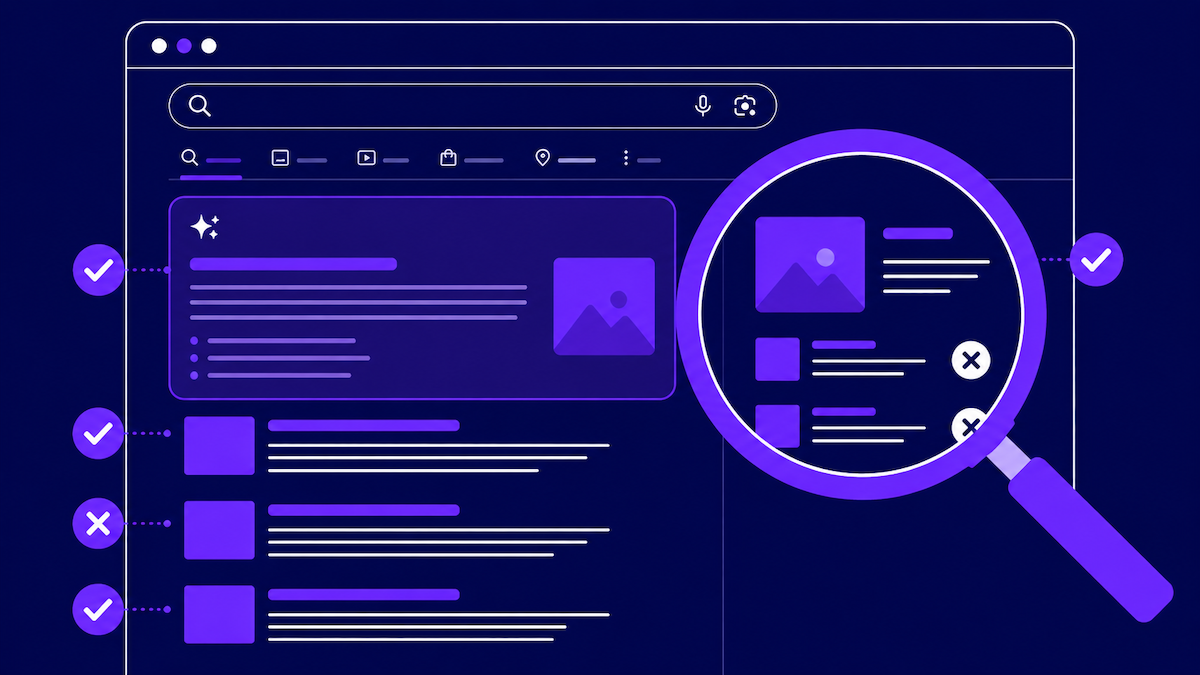
The second is the generative AI performance report, which sits under the regular Performance tab. It shows impressions, pages, countries, devices, and dates for your appearances in AI responses. Google announced it in June and gave people access in waves. Now everyone has it.
You'll notice clicks aren't in that list. We'll come back to that.
Why we tell clients to leave the toggle alone
The argument for opting out is easy to follow. AI Overviews answer the question right on the results page, nobody clicks through, and Google built that answer with your content. So cut off the supply and people will have to come to you.
That sounds right and mostly isn't, at least not for a business with a modest marketing budget and a few hundred organic sessions a week.
When you opt out, the AI Overview doesn't go away. It still shows up for the same searches, built from whoever didn't opt out. So your competitor gets cited instead of you. If that citation is the only place a buyer runs into a company name while they're researching, you handed that over for nothing.
Most people who ask us about this are picturing the AI answer disappearing from the page. It doesn't. You disappear from the AI answer.
There are businesses with a real case for opting out: the ones whose product is the content itself. Publishers living on display ads. Sites selling subscriptions to information an AI can summarize in a paragraph. Recipe sites, review sites, anything where the article is the thing being sold.
If you're a manufacturer, a professional services firm, a regional contractor, a B2B software company, or a nonprofit, your website is there to bring in business. Getting cited as the source in an AI answer works more like a referral. We wrote about getting cited instead of buried back in the spring and we haven't changed our mind since.
One more thing to know before you touch it. Turning the setting on is instant. Turning it back off means waiting for Google to recrawl your pages, reprocess them, and decide to trust them as source material again, and Google hasn't published a timeline for that. Every setting like this in search has had a lag on the way back. Assume this one does too.
Where it lives
It's not on the Performance screen. Open Search Console, go to Settings for the property, and the generative AI control is in there. It applies to whichever property you have selected. If you've got a www and a non-www property, or a domain property and a URL-prefix property, make sure you're on the live one. We've watched someone change a setting on a property that stopped collecting data a year and a half ago and then wonder why nothing happened.
It's also site-wide. You can't hold back your pricing page and leave your blog in. Google has talked about finer controls down the road, but today it's all or nothing per property.
What the AI report tells you
Open the generative AI report under Performance, set the date range as far back as it goes, and look at which pages are getting impressions in AI experiences.
That list is Google telling you which of your pages it treats as a citable source on a topic. That's a different question from which pages rank, and in some ways a more useful one.
Impressions aren't traffic
The report has no click data at all. If the impression line is going up and you conclude AI search is going well for you, you've read a visibility chart as a revenue chart. We've already seen someone forward one of these screenshots to their boss with the subject line "AI traffic up." It wasn't traffic.
Before you draw any conclusion about what AI search is doing to your business, put this next to GA4 and your regular Search Console data. They're different systems with different definitions, and they won't line up cleanly.
Look at pages, not totals
The overall number means little without something to compare it to. The page-level breakdown is where the value is. Sort by impressions and you'll usually find two or three pages doing nearly all the work, and they're rarely the ones you'd guess. Often it's an older explainer post nobody has touched in a couple of years, or a detailed FAQ, or a page that answers one specific question all the way through.
Whatever those pages do, do more of it on the pages you actually want cited. Usually that means a direct answer near the top, headings written as questions, and real numbers instead of general claims.
Did the toggle make my rankings drop?
Almost certainly not. The timing is what trips people up. Google started the September 2026 spam update on September 24 and it's still rolling out as we write this. Google said it could take up to two weeks, which is long for a spam update. The March update finished in under a day, and June and August took two or three.
Google hasn't said what this one targets. It's the fourth spam update this year, and the last one hit hard. During the August update, SE Ranking found 16.71% of top-10 URLs dropped past position 100, compared with 9.2% in a quiet week in July.
So if your rankings moved in the last two weeks, look at the spam update first, then at anything you changed on your own site. Check the dates before you build a theory. AI is the first thing people blame for a traffic dip right now, and it's usually not the cause. Two Google changes in the same two weeks is how a business ends up making a permanent decision about AI visibility over a temporary ranking dip.
What we'd do this month
- Open the generative AI report and export the page-level data so you have a baseline. In three months you'll be glad you did.
- Leave the opt-out off unless your revenue comes directly from pageviews or content subscriptions.
- Pull your top three AI-cited pages, note what they have in common structurally, and copy that onto two service pages.
- Compare organic sessions in GA4 against Search Console clicks for late September through now. If they disagree badly, the problem is measurement, not rankings.
- Tell anyone else with admin access to your Search Console that this toggle exists and not to touch it. Settings like this get flipped by someone who read one alarming article, and nobody notices for two months.
Not sure which side you're on?
It comes down to how your site makes money, and that's a ten-minute conversation. If you're staring at the toggle wondering whether you're the exception, or you've opened the AI report and can't tell if the numbers are any good, we're happy to look at it with you. Most of the time the answer is boring: leave the switch alone, fix the three pages that are almost citable, and measure it properly. Get in touch and we'll tell you which applies to you.


Get a free audit
We found ourselves needing an urgent ExpressionEngine update. Thanks to Josh and his efficient intervention we were only offline for a short period of time…